RESOURCES

Guides and how-tos.

Step-by-step guides for the tools we build, so you can get set up and get value from them fast. Flip through a preview, then get the full guide free by email.

JOB SEARCH STUDIO

Quick-start guide

Set up a private job-search workspace inside Claude or ChatGPT: save jobs, track applications and see what to do next. Pick your platform to preview it.
About the Studio
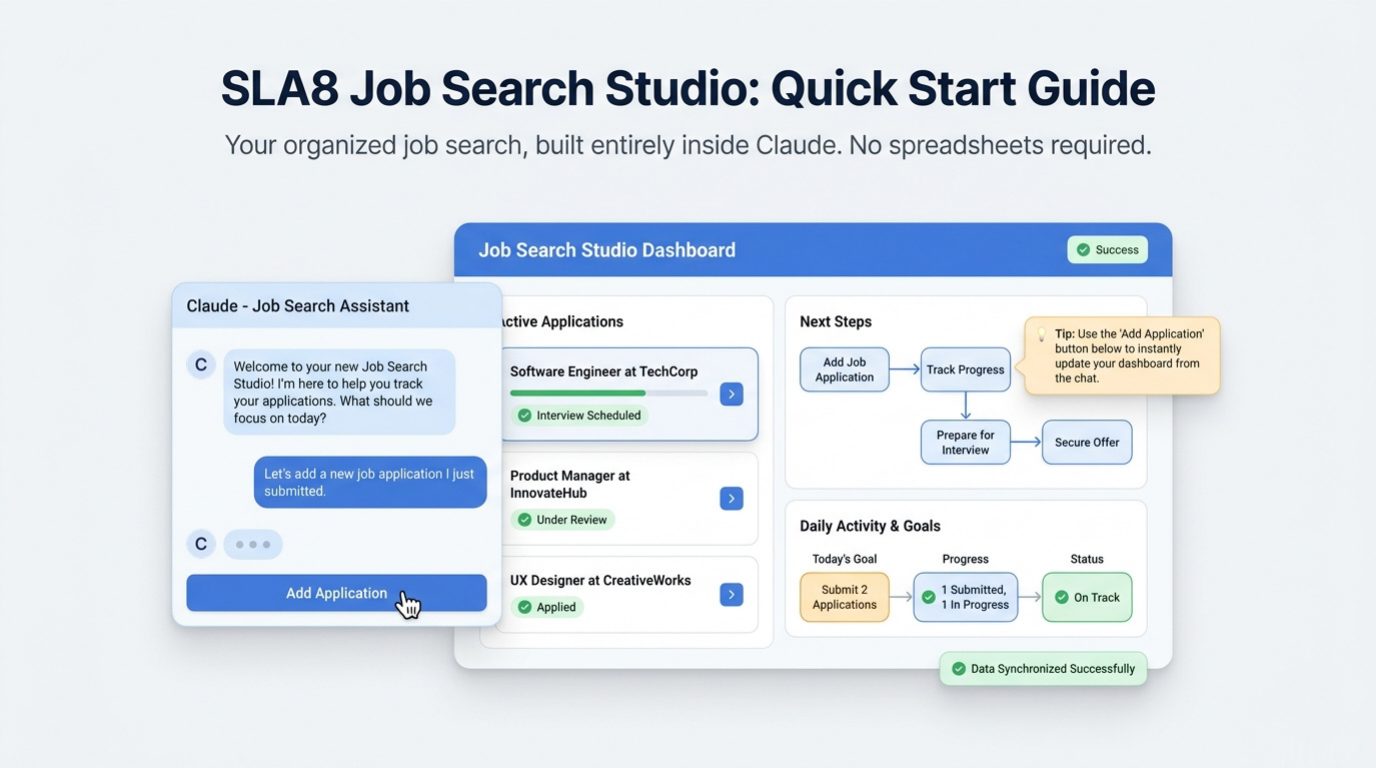
SLA8 Job Search Studio: Quick Start Guide. Your organized job search, built entirely inside Claude. No spreadsheets required.
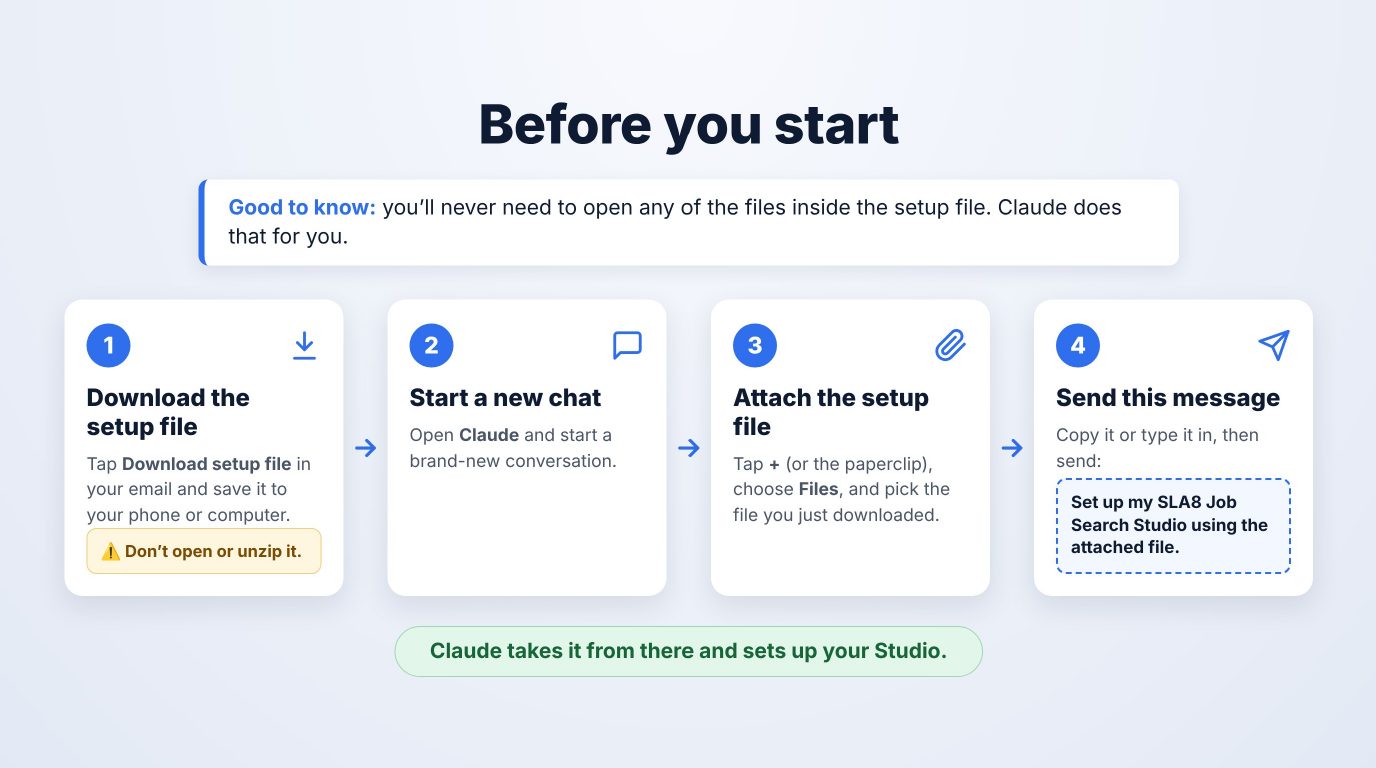
Before you start. You'll never need to open any of the files inside the setup file; Claude does that for you. 1: Download the setup file, and don't open or unzip it. 2: Start a new chat in Claude. 3: Attach the setup file. 4: Send this message: Set up my SLA8 Job Search Studio using the attached file.
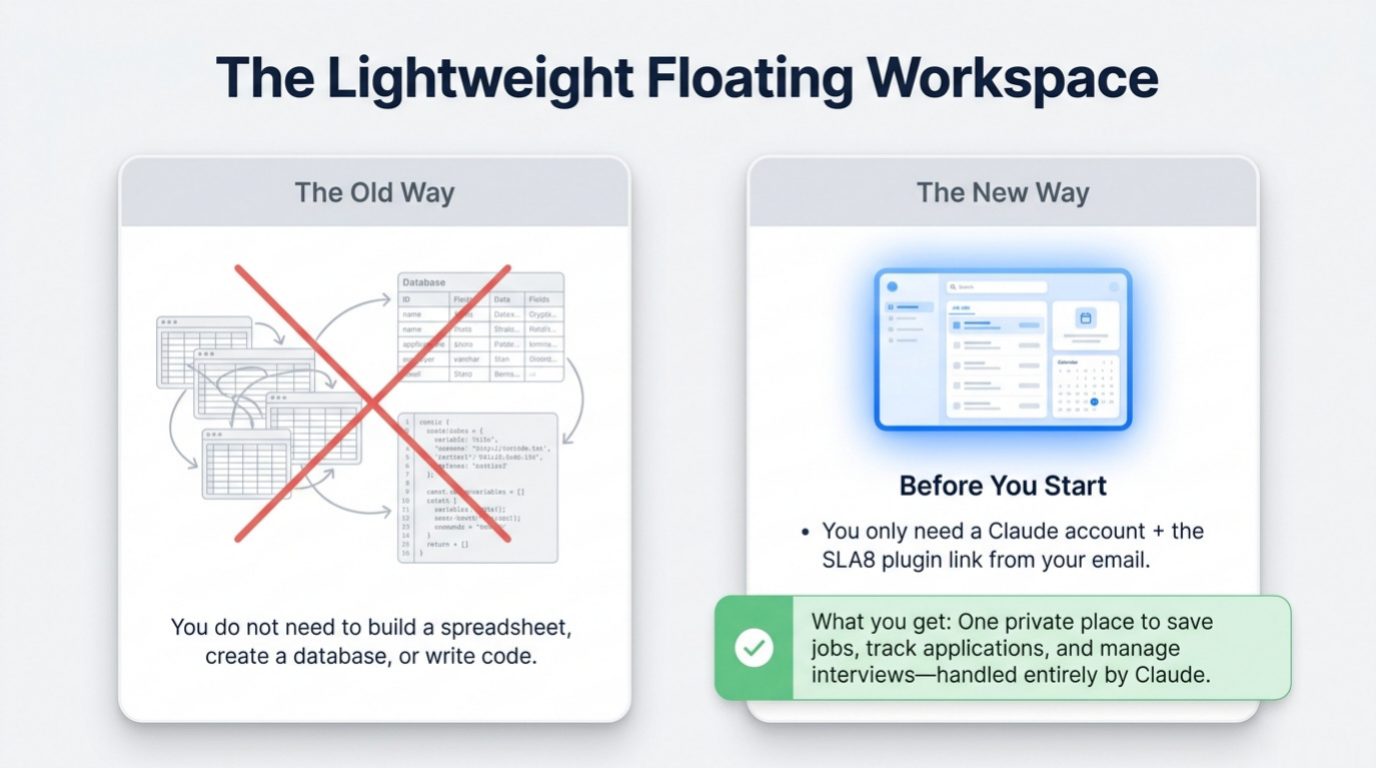
The lightweight floating workspace. The old way: build a spreadsheet, a database or code. The new way: you only need a Claude account and the SLA8 plugin link from your email.
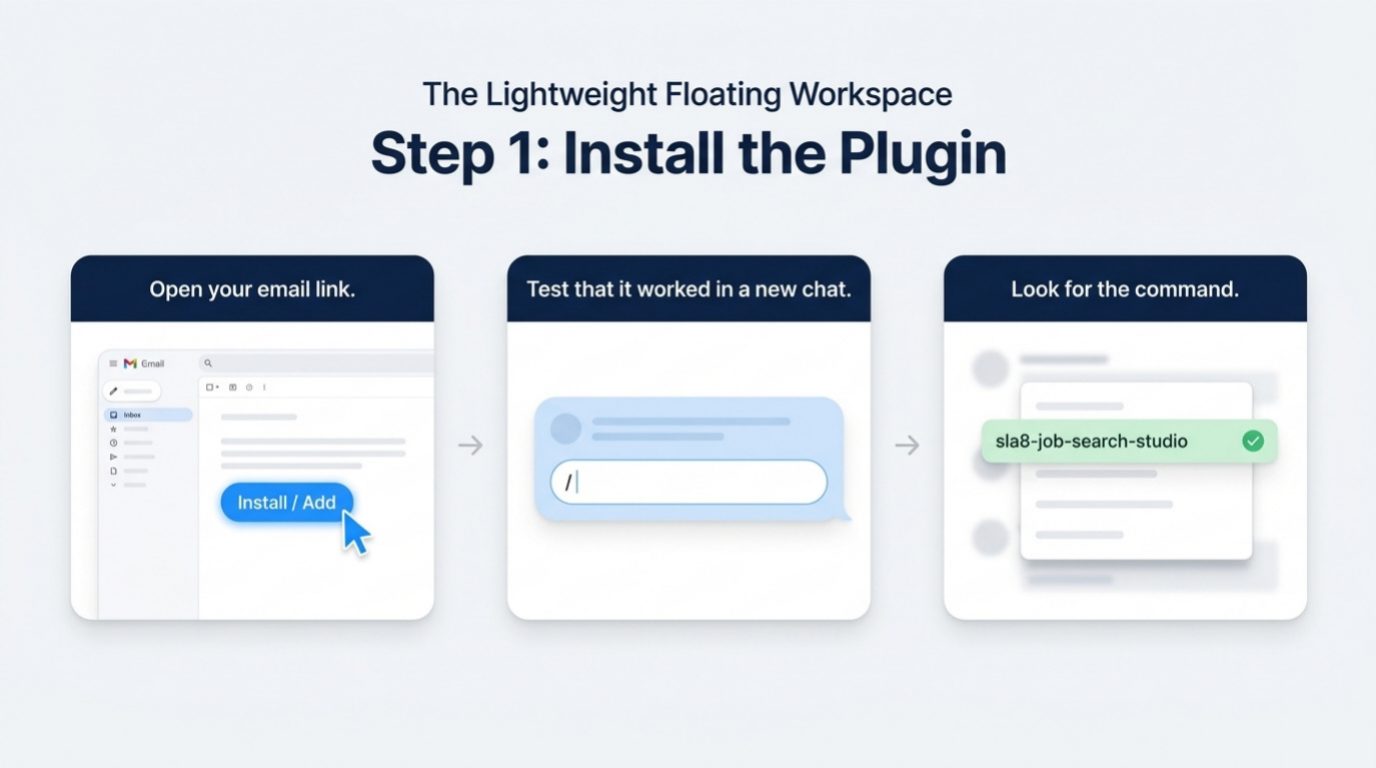
Step 1: Install the plugin. Open your email link, test that it worked in a new chat by typing /, and look for the sla8-job-search-studio command.

11 more pages in the full guide

Get the full guide free

Page 1 of 15

GET THE FULL GUIDE

The whole guide and your plugin link, free.

Tell us where to send it and which AI platform you use. You'll get the complete quick-start guide (PDF) and the link to install your Job Search Studio plugin.

Which AI platform do you use?
We'll send the guide and setup file for the one you pick.

More guides on the way.

We're adding how-tos for our other tools. Need help with something now? Reach out and we'll point you in the right direction.

Start a Conversation